
How to transcribe an audio file on Mac
Turn a recording or imported audio file into a local transcript with TonePebble. Search timed words and find the matching audio.
Requires macOS 26 or later; a supported speech language and model.
Import or choose your recording
Use Import Audio in the sidebar to choose an audio file. It appears in Inbox. You can also select a recording already in your TonePebble library. For a new take, enable Transcribe after recording before starting.
Choose the speech language
Select the language spoken in the recording using Speech language before starting transcription. System language follows your Mac’s locale; it does not detect the recording’s language automatically. The available languages depend on the speech models supported by your Mac.
Transcribe on your Mac
Open the recording and choose Transcribe on this Mac. A speech model may need to download first. Recognition runs locally; check Activity for progress or errors. You can keep working while a job runs.
Read, search, and listen
Open Full transcript & editing to read the transcript and play from a timestamped line. Search the library for a word or phrase to find matching recordings. Timed results can take you to the matching audio.
Use words to find an edit
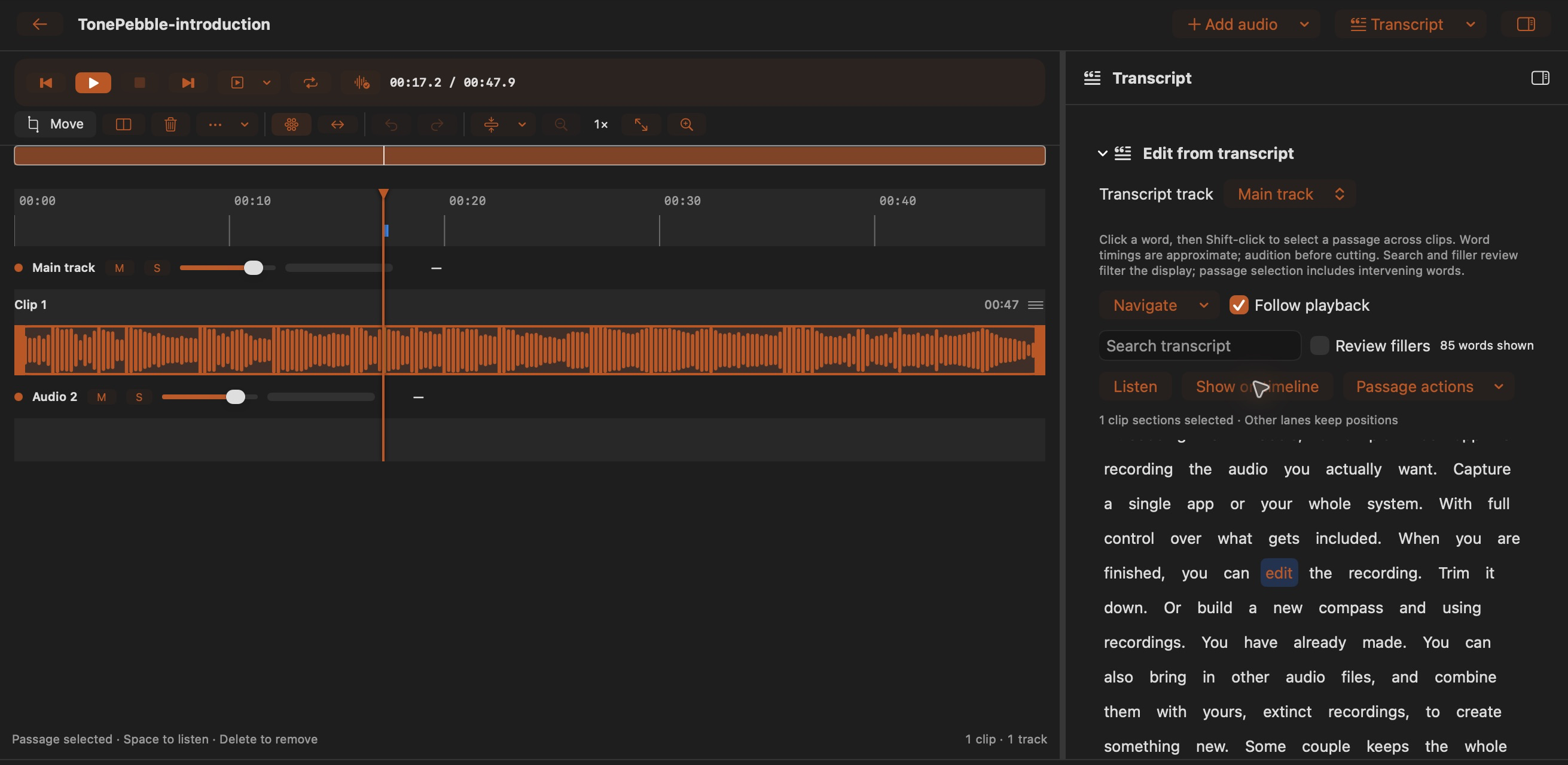
Choose Edit audio, open the Transcript inspector, and select a track. Click a word, then Shift-click to select a passage. Use Listen or Show on timeline before applying a passage action. For audio added inside the editor, use Transcribe missing sources.
Check names and word boundaries
Speech recognition can mishear names, accents, music, or overlapping voices. Word timings are approximate. Listen to the original before relying on a quote or cutting a passage. The demo introduction on this site also produced recognition errors.
When transcription is unavailable
Confirm macOS 26 or later, choose a supported language, and let the model download finish. Check Activity for a failed or queued job. Changing the language affects new requests; it does not replace an existing transcript.
Where does the audio go?
TonePebble processes the transcript on your Mac. macOS may download the speech model, but the recording is not sent to a cloud transcription service by TonePebble.